
GETTING STARTED
From your Spring project
to your first response.
Connect your running application, open a discovered endpoint, and test it without leaving your IDE.
01 / INSTALL
Install RouteWire for Spring
Install RouteWire for Spring from its JetBrains Marketplace listing when available. Follow the listing’s installation instructions and check its IDE compatibility requirements.
The Marketplace installation link will be added here when available.
Need help obtaining the plugin? Contact RouteWire.
Already installed? Continue with your Spring Boot project below.
02 / CONNECT
Run your app and connect RouteWire
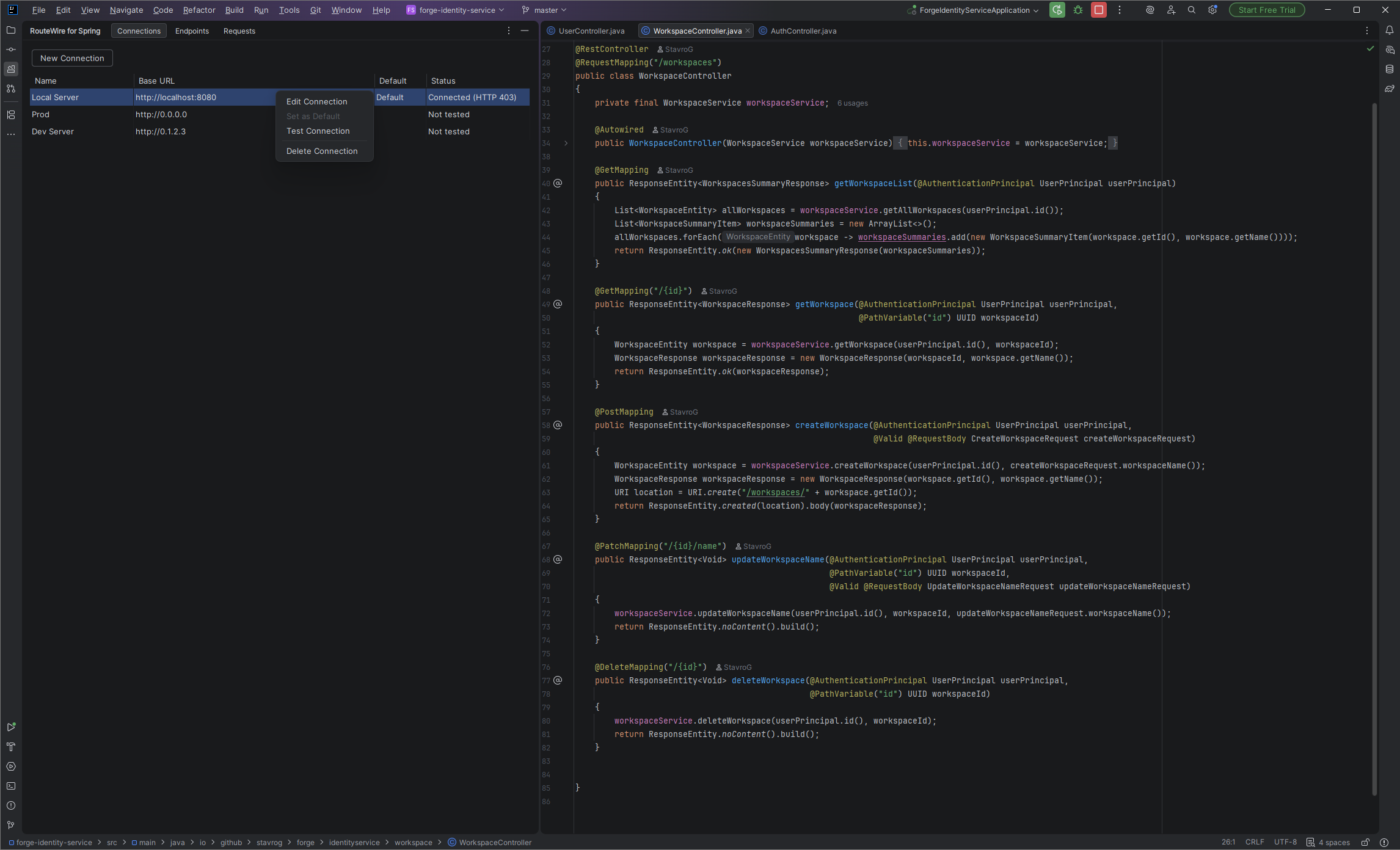
Open a Spring Boot project in your JetBrains IDE and run the application. Open the RouteWire for Spring tool window. In Connections, use New Connection to configure the application’s base URL, such as http://localhost:8080. Use the URL and port your app actually runs on.
Use Test Connection to check whether RouteWire can reach the running application before sending a request.
03 / DISCOVER
Discover and open an endpoint
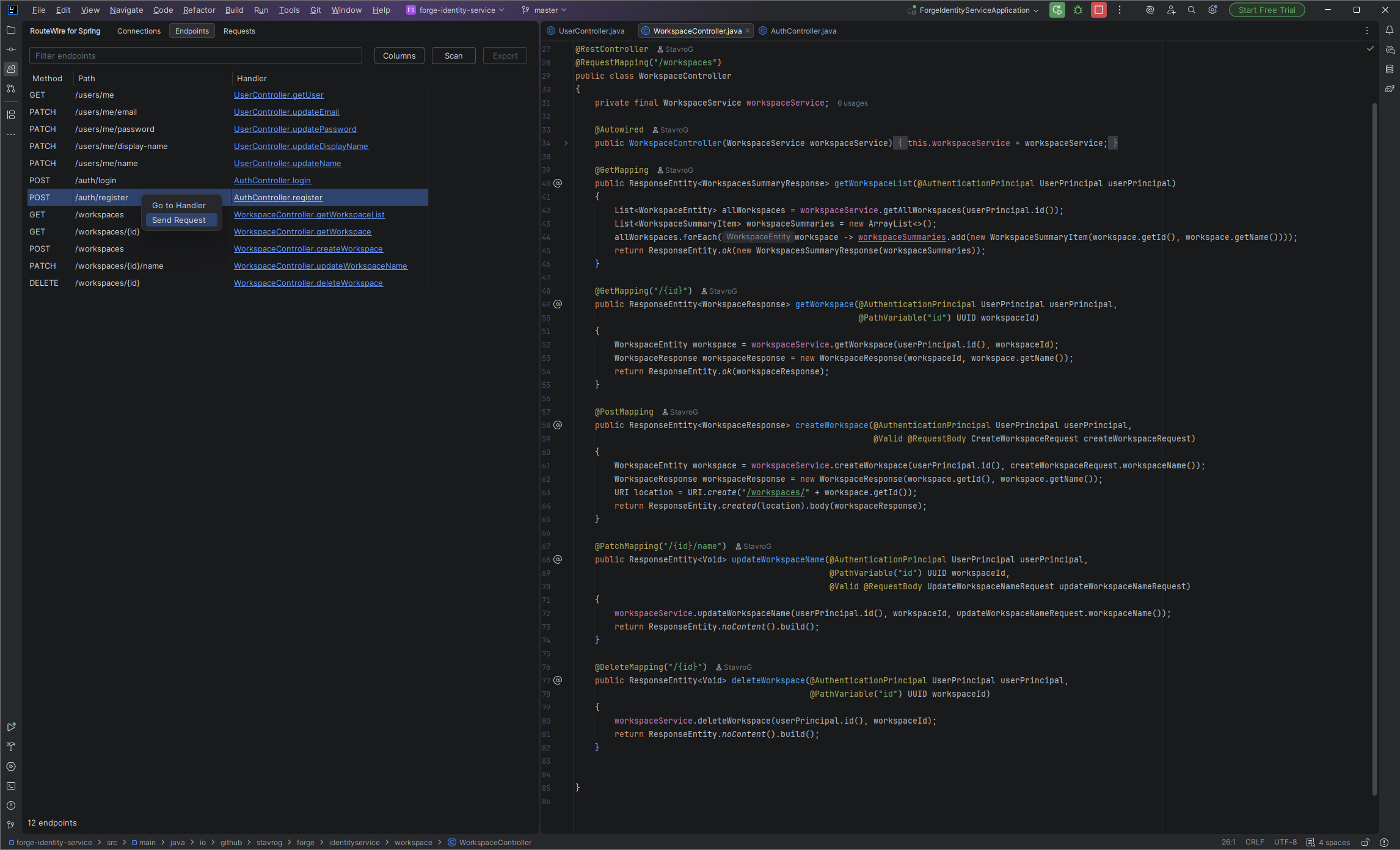
Open Endpoints and choose Scan to discover the project's Spring mappings. Browse the HTTP methods, paths, and handlers. Double-click an endpoint to open it as a request, or use Send Request from its context menu.
You do not need to recreate each endpoint manually. RouteWire discovers paths from your Spring controller and method mappings.
04 / SEND
Configure the request and send it
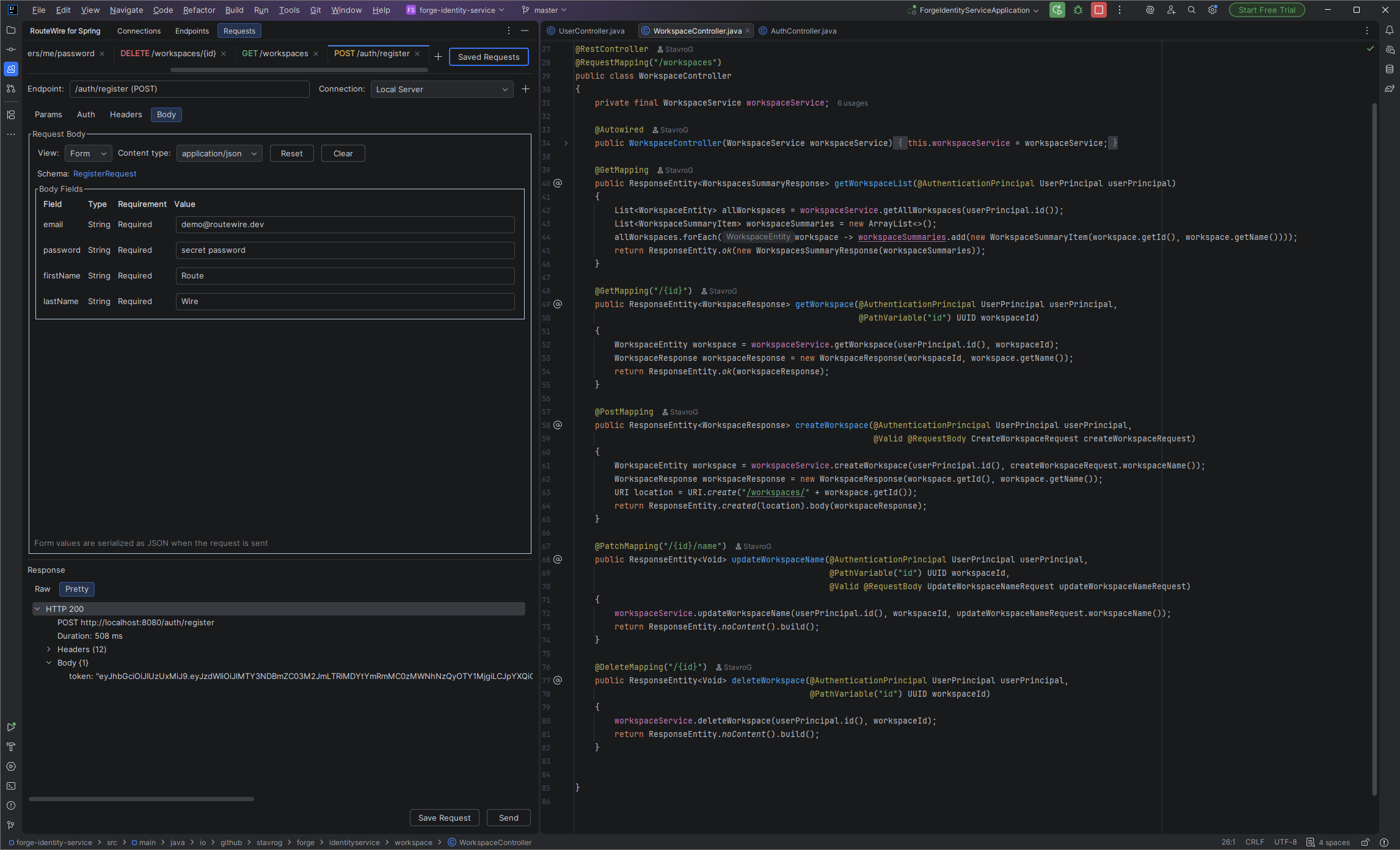
Select your application connection in the request editor. Configure path and query parameters in Params, authentication in Auth, and Headers or Body where the endpoint needs them. Authentication supports No Auth, Bearer Token, and Basic Auth. Choose Send when the request is ready; you can cancel a request while it is running.
Use values that match your endpoint. For a protected endpoint, supply the token or credentials your application expects.
05 / INSPECT & REUSE
Read the response. Return to the code.
Inspect the HTTP status, method, URL, duration, response headers, and body in the response viewer below the request.
To inspect the implementation, return to Endpoints and use Go to Handler on the endpoint. RouteWire takes you to the Spring handler in your project.
Use Save Request to keep a request you want to reuse. Return to it through Saved Requests.
Need a hand? Contact support@routewire.dev.