Discover
Browse endpoints from your Spring controllers without recreating each request manually.


Discover and test Spring Boot endpoints without leaving your JetBrains IDE. Move from handler to request to response, in one place.
The first developer tool from RouteWire.
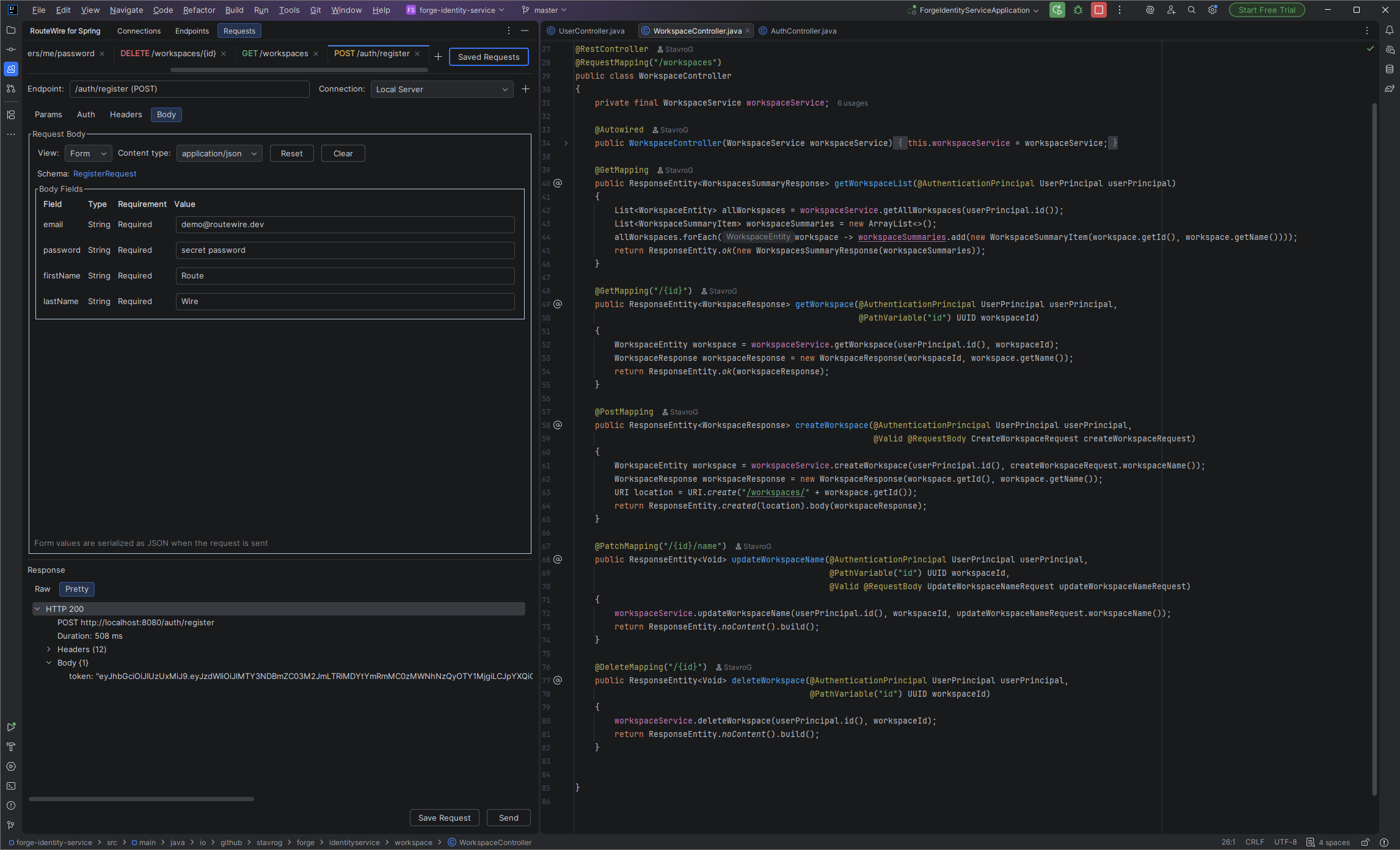
FROM YOUR PROJECT, NOT A BLANK REQUEST
RouteWire reads your Spring mappings to discover the endpoints in your project. Open one as a request, test it against your running application, and return to the implementation when you need to understand the result.
Browse endpoints from your Spring controllers without recreating each request manually.
Configure the request and read its status, timing, headers, and body inside the IDE.
Keep the endpoint connected to the source code that implements it.
01 / DISCOVER & NAVIGATE
Browse discovered methods, paths, and handlers in the Endpoint Scanner. Double-click an endpoint to open a request, or use Go to Handler to jump to its Spring implementation.
RouteWire combines controller and method mappings, including multiple or empty paths and inherited mappings, for both @Controller and @RestController.
@RequestMapping@GetMapping@PostMapping@PutMapping@DeleteMapping@PatchMapping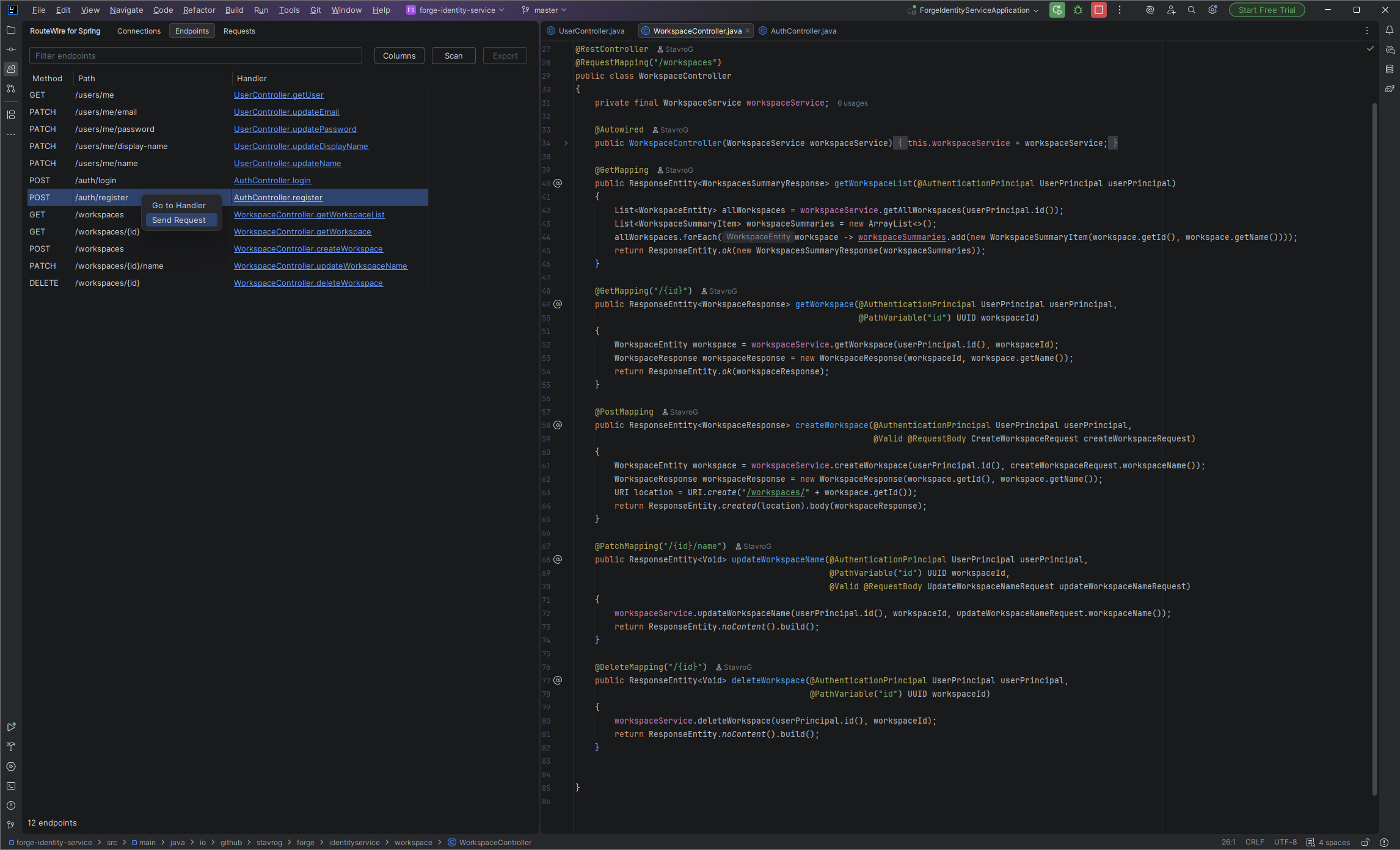
02 / REQUEST & RESPONSE
Set path and query parameters, headers, and a request body. Choose No Auth, Bearer Token, or Basic Auth, then send the request to your running application. Cancel an in-flight request when needed.
Read the HTTP status, method, URL, duration, response headers, and body without switching to another application.
Return to the scanner and use Go to Handler to inspect the implementation behind an endpoint.
03 / SAVE & REUSE
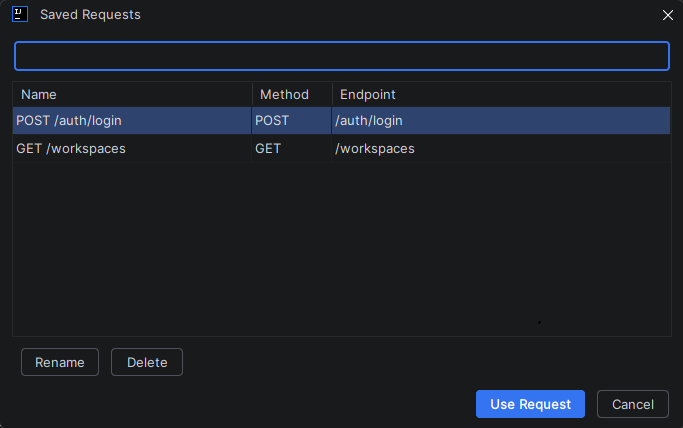
Save a configured request and reopen it later. Return to the calls you use while developing without rebuilding them each time.
YOUR FIRST REQUEST
Run your Spring Boot app, set its base URL, and test the connection.
Scan the project and open an endpoint as a request.
Add parameters, authentication, headers, or a body as needed.
Read the response, then jump to the handler to explore the code.
Discover the endpoint. Test it. Stay close to the code.